Editing a Sound
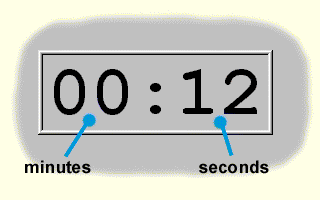
When editing a sound a time indication representing the sound duration in minutes and seconds is displayed within the editing field. During playing or recording this indication represents the time already elapsed.
Toolbar
 Play
Starts playing of the sound.
Play
Starts playing of the sound.
 Pause
Pauses playing of the sound.
Pause
Pauses playing of the sound.
 Stop
Stops playing of the sound.
Stop
Stops playing of the sound.
 Loop
Turns on/off the repetition of playing.
Loop
Turns on/off the repetition of playing.
 Record
Starts recording of the sound.
Record
Starts recording of the sound.
To record the sound, the uncompressed PCM, 22 kHz, 16 bits, MONO is used as the sound format. The duration of the sound being recorded is limited by 60 seconds. During the recording the sound source (a microphone or a line input) and a proper recording level must be adjusted by means of the sound mixing device (which is delivered as a Windows option or added to the sound card). Any other program (e.g. Sound recording , a part of Windows) may be used for the sound recording. The sound recorded is then transmitted via the sound library or, still better, via the clipboard.
When playing the sound all sound formats are supported that can be played back in the Windows environment. To reproduce MP3 files, a driver for MP3 reproducing (see e.g. http://www.iis.fhg.de/audio) must be installed in some Windows versions. The driver can be installed directly from the distribution CD-ROM of the Peter program from the MP3CODEC folder.
Note:
By starting the sound editing in the field of global or local variables the sound reproduction is initiated by pressing Enter . This enables an easy examining of a larger quantity of sounds by shifting the selection cursor from the keyboard and pressing Enter .