Editing a Music
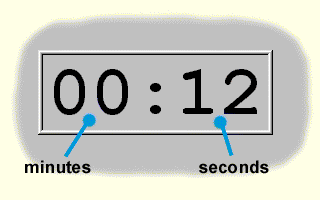
When editing music , a time indication representing the music duration in minutes and seconds is displayed within the editing field. During playing this indication represents the time already elapsed.
Toolbar
 Play
Starts playing of the music.
Play
Starts playing of the music.
 Pause
Pauses playing of the music.
Pause
Pauses playing of the music.
 Stop
Stops playing of the music.
Stop
Stops playing of the music.
 Loop
Turns on/off the repetition of playing.
Loop
Turns on/off the repetition of playing.
 Rewind
Moves playing by 10 seconds back.
Rewind
Moves playing by 10 seconds back.
 Forward
Moves playing by 10 seconds forward.
Forward
Moves playing by 10 seconds forward.
Note:
By starting the music editing in the field of global or local variables the music reproduction is initiated by pressing Enter . This enables an easy examining of a larger quantity of music by shifting the selection cursor from the keyboard and pressing Enter .