Editing a Flag
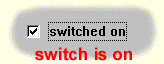
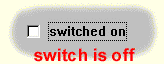
When editing a logic flag a switching element is displayed in the middle of the editing area serving for the setup of the flag value. A logic flag can assume only two conditions: ON (valid, true, YES) and OFF (invalid, false, NO).
Editing operations
changing the switch state - Click with the left mouse button on the switching element (or its text).
- Press the Enter or the spacebar key.
returning the switch state - Press Ctrl+Z .
undoing the switch return - Press Ctrl+Y .